
Myriad bits of software and hardware.
LED clocks, Windows tools and iPhone apps that I build in my spare time. Just to have some fun.
- 6projects
- 2014first release
- Windows · iOS · ESP32platforms
Some hobby projects, on one page
From word clocks to a tool that looks inside broadcast video files. Pick one to jump straight to it.
- Cloxel word clock A word clock that tells the time, the day and the date in glowing letters. Hardware + iOS app
- Cloxel pixel clock A desktop pixel clock that shows the time on top of WLED light effects. Hardware · WLED
- MXF Inspect Shows the internal structure of MXF files, the broadcast industry’s video container. Windows tool · open source
- Disk Space Analyzer Finds the largest files and folders on an NTFS disk in seconds. Windows tool
- Camculator Point your camera at a sum and see the answer. No AI involved. iPhone & iPad app
- ClassVibe Helped high school teachers reward the positive behavior of a whole class. iOS app + backend
Cloxel word clock
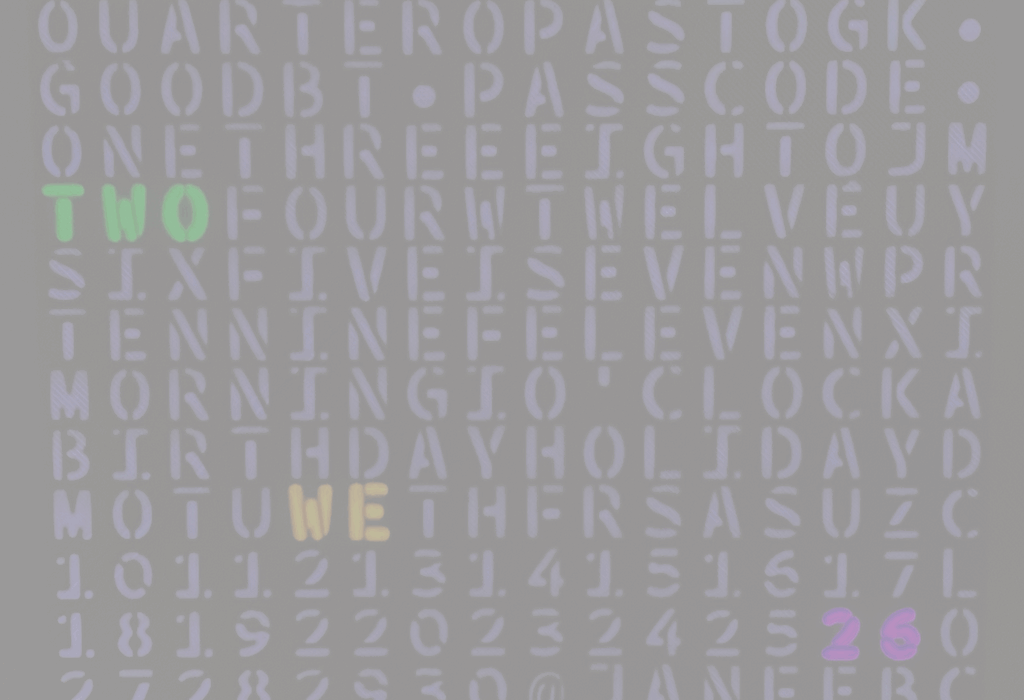
A word clock that spells out the time, the day and the date in 256 softly glowing letters.
It started as a hobby project: a 16 × 16 LED matrix, an ESP32 and an iOS app that configures the clock over Bluetooth. It grew into Cloxel, a finished word clock with its own website and webshop.
- 16 × 16 LED matrix driven by an ESP32.
- English or Dutch face, plus the day of the week and the date.
- Companion app that sets colors, effects and Wi-Fi over Bluetooth, and installs firmware updates.
Cloxel pixel clock
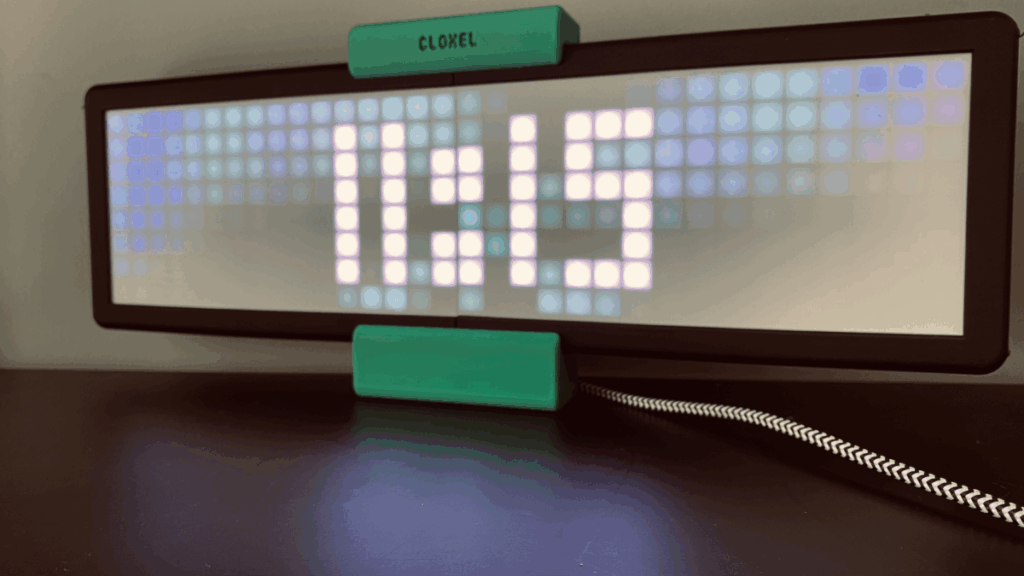
A desktop pixel clock that shows the time while WLED light effects run in the background.
It is built from an LED matrix and an ESP32, to keep the soldering to a minimum. I designed the 3D-printed housing for the LED screen and added usermods to WLED, so the time is drawn as an overlay on top of the effects.
WLED is a project by @aircoookie: a fast and feature-rich ESP32/ESP8266 web server that controls NeoPixel (WS2812B, WS2811, SK6812) LEDs, and SPI-based chipsets like the WS2801 and APA102.
- Control it from the WLED web interface or the WLED app for iOS and Android.
- Background effects and the time font are fully configurable.
- All colors can be changed, of course.
MXF Inspect
A fully functional and completely free Windows tool that shows the internal structure of an MXF (Material eXchange Format) file.
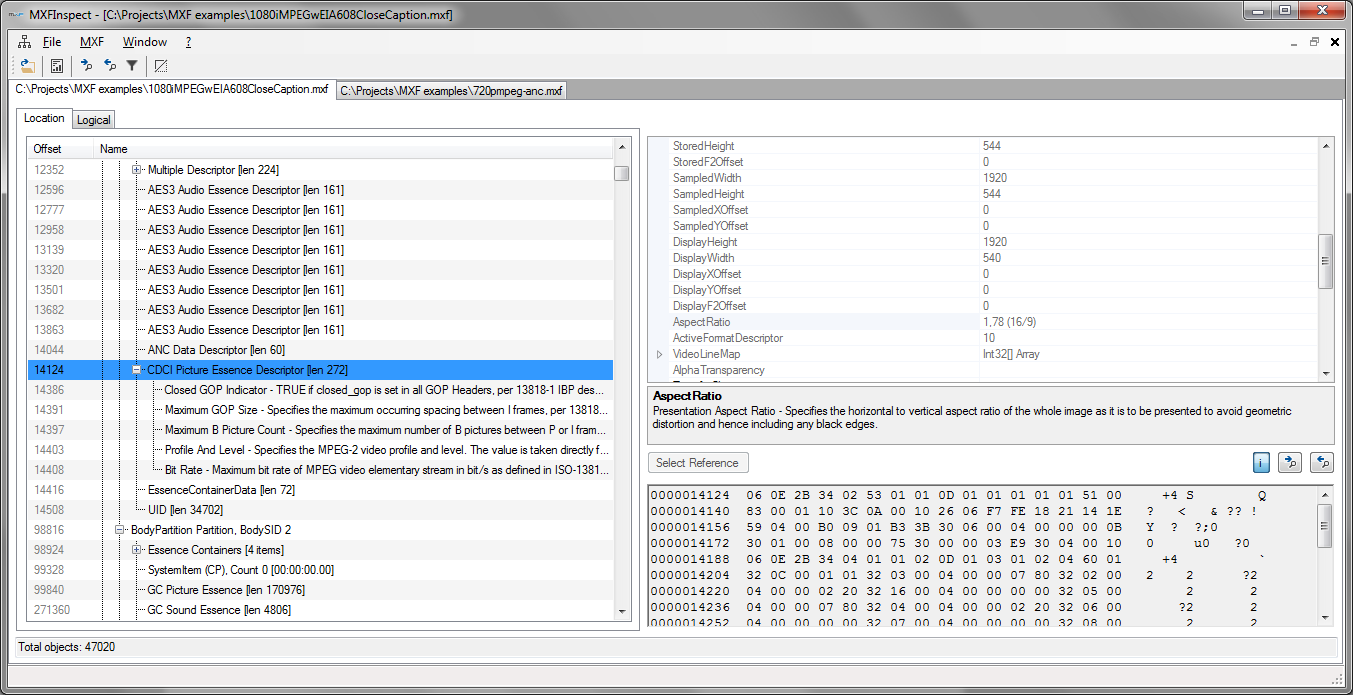
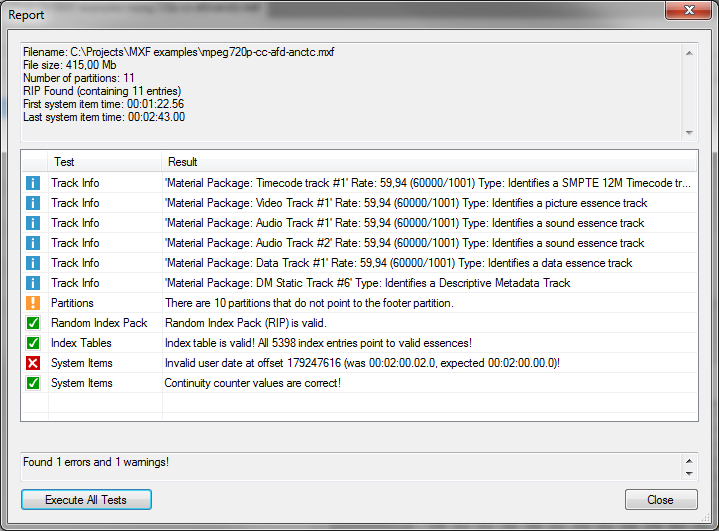
It does not play the movie itself. It shows you what is inside: partitions, metadata, index tables and essence, with offsets, parsed values and raw data side by side. It is tested on Windows 7, 8, 10 and 11.
MXF files are used everywhere in the broadcast industry. When I worked in that industry I handled a lot of them, and I wanted to check whether certain files were valid. I could not find a good free tool, so I made my own. The source code is released under the LGPL.
In February 2023 the project was updated by merging the rayden84 fork. It includes work by feigenanton, rayden84, ft, ws, Nicolas Gaullier and Wolfgang Ruppel, who took the project far beyond my original ideas and revamped, cleaned up and restructured the code. Great work, guys!
- Open multiple MXF files at once, or drag and drop a file to open it.
- Supports different MXF file versions (such as 1.2 and 1.3) and a large number of metadata packs.
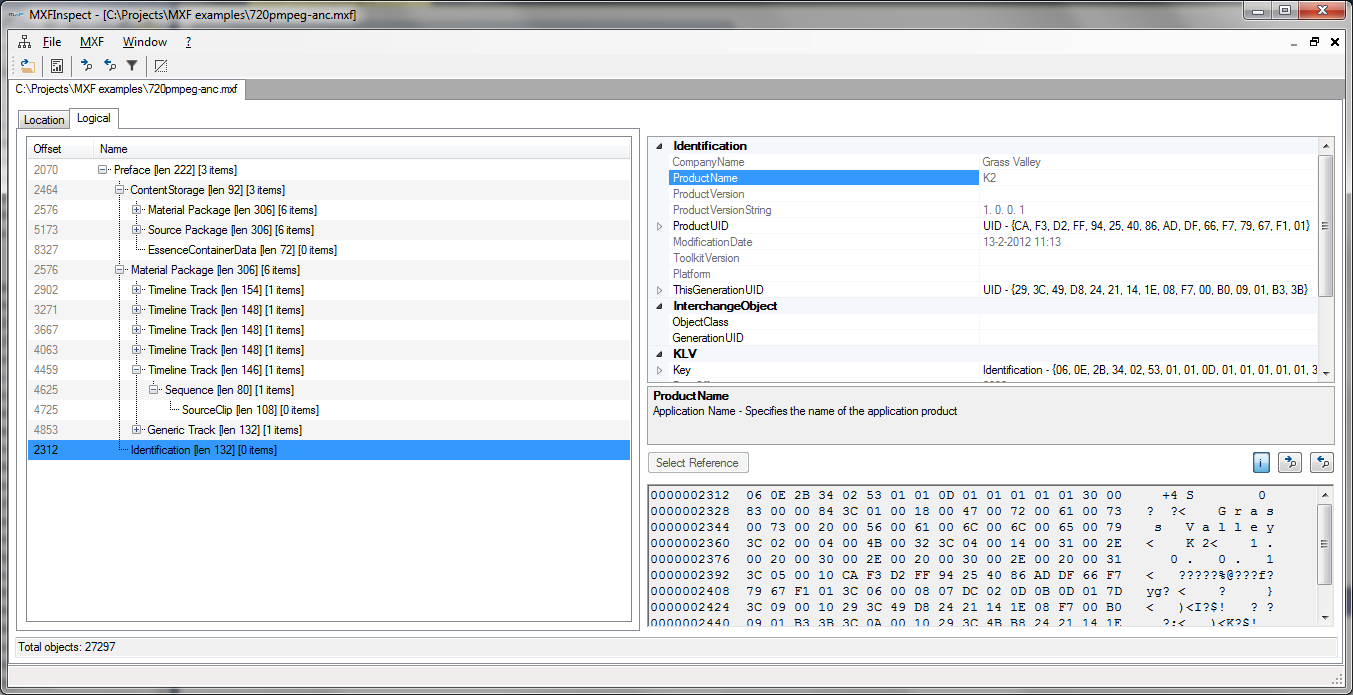
- Physical (offset) view and logical (object hierarchy) view.
- Jump to the next or previous object of the same type, or show only one type.
- Large file support: opens MXF files of several gigabytes in seconds by loading partitions only when you open them.
- “Syntax” coloring for partitions, essence, index tables, RIP, system items, metadata, fillers and specials.
- Written in .NET 6 and shipped as a single file, without depending on an installed .NET framework.
- A report screen with tests and validators:
- Consistency of the partitions (previous, next and footer partition pointers).
- RIP check: present and pointing to valid partitions.
- Index table, system item date and continuity counter checks (being reimplemented).
SMPTE specifications used
The MXF specification is huge, and it allows for a lot of different “tastes” of MXF files. I started with SMPTE 377-1-2009 only, but soon needed many other SMPTE specifications as well. Some of them are a bit unclear (at least to me), so a test may sometimes show a warning or error that isn’t one.
The default label and key names from SMPTE 377 are built into the MXF library. All other names come from:
- SMPTE Metadata Dictionary (RP210v13-2012)
- SMPTE Labels Registry (RP224v12-2012)
- SMPTE Class 13 and Class 14 registrations
MXF Inspect does not implement the whole SMPTE MXF specification. It is distributed in the hope that it will be useful, but without any warranty; without even the implied warranty of merchantability or fitness for a particular purpose. See the GNU Lesser General Public License for details.
How it is built
MXF Inspect is written in C#. A .NET class library reads the MXF file, and a separate Windows Forms GUI can show several files at once. The GUI uses the ObjectListView control by Phillip Piper.
Version 2.2 (2015) introduced partial loading, syntax coloring and the settings dialog. Today the latest releases and the full history are on GitHub.
Disk Space Analyzer
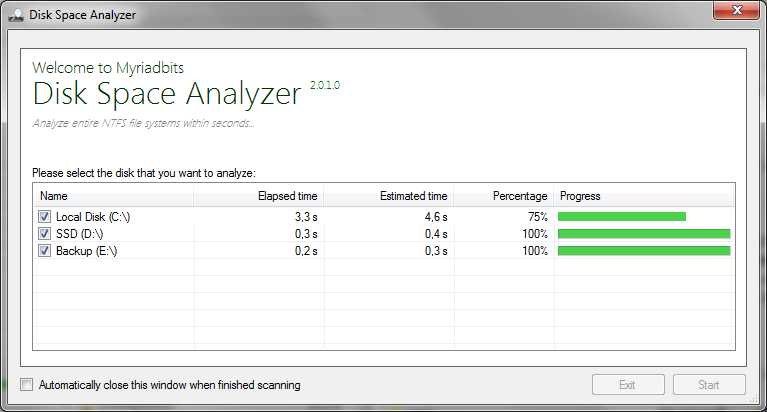
A free Windows tool that quickly finds the large files and folders on your hard disk or SSD, so you can free up space.
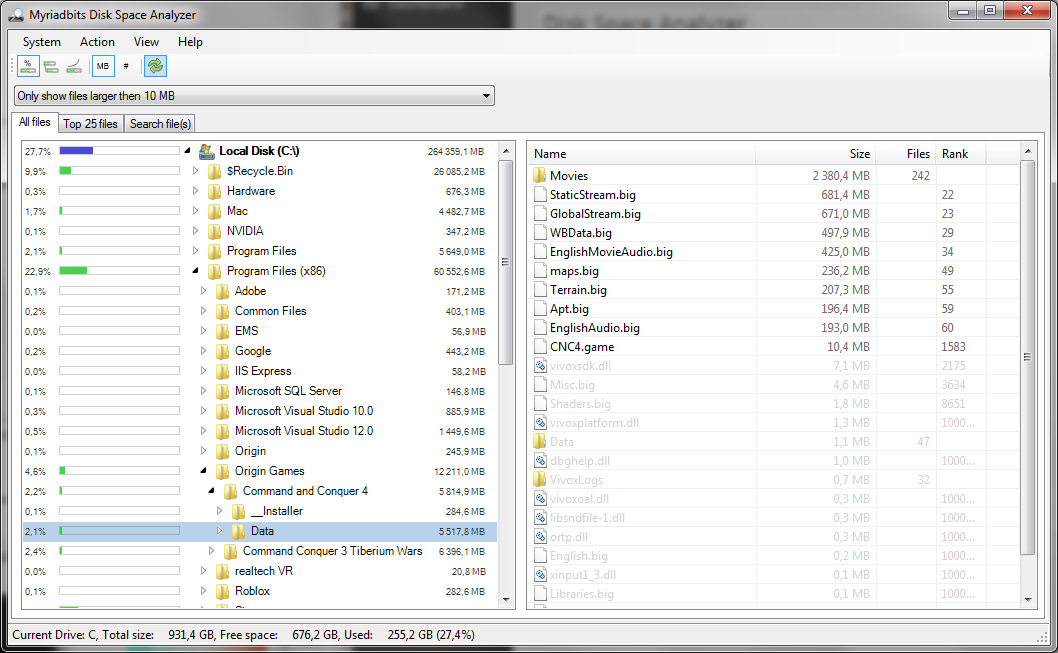
It works on all NTFS file systems by reading the Master File Table (MFT) directly. That is a huge performance boost compared with the standard file access methods: on my own system it scans the entire disk in under five seconds.
- Fast: analyzes a disk in seconds.
- Disk usage per folder in percentages, absolute, relative to the parent and logarithmic, shown as colored bars.
- Filter large folders and files.
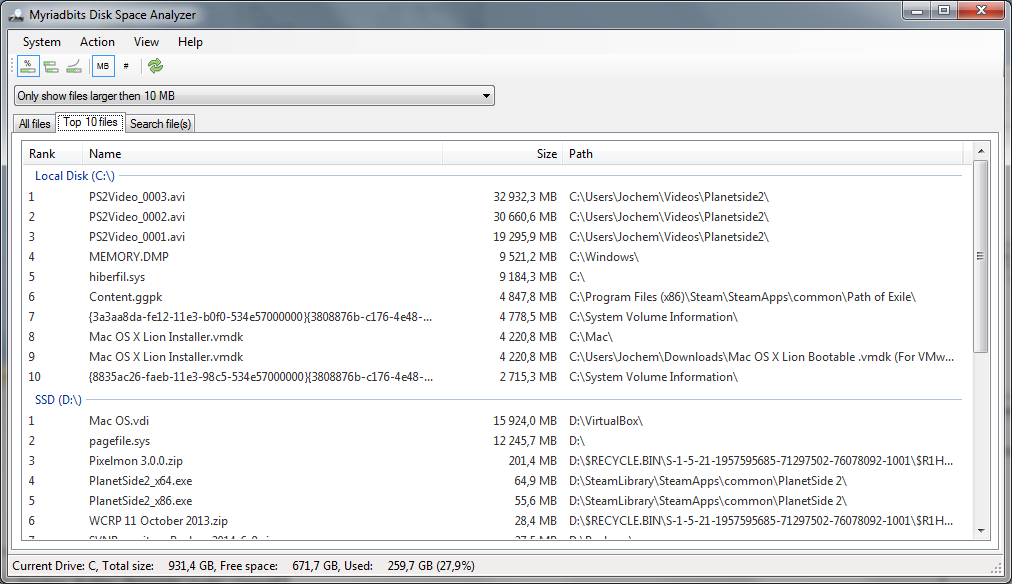
- A list of the largest files per disk (top 10 up to 2500) with their paths.
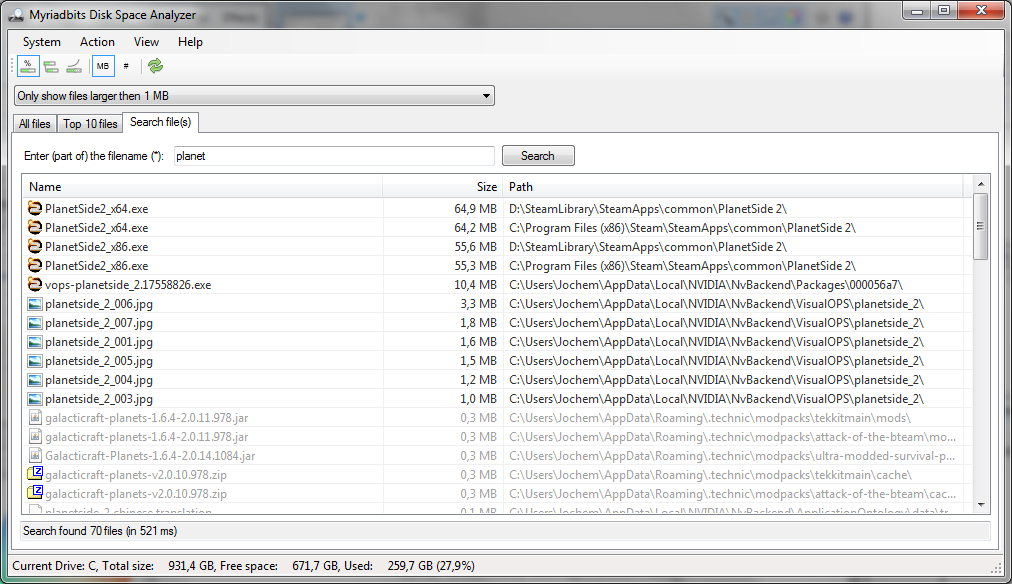
- Search any file on all your disks, usually within a second.
- Context menus to open Windows Explorer or a command prompt, show properties and open files.
- Sortable tables, and a settings dialog for size units and colors. All your choices are remembered.
How to use it
Start the application and it lists all NTFS disks that can be analyzed. Press Start and the file information of the selected disks is read into memory. Don’t forget the context menus (right-click) in the tree and the views: they give you extra options.
Why I built it
At work I often dealt with large server disks holding huge numbers of files, and I always grumbled about the slow Windows tools. Why does Windows Explorer grind through every folder to work out its size, when NTFS already knows? It had to be possible to do this faster.
There was not much information about NTFS online, but from documentation scraps and the excellent NTFS Documentation by Richard Russon and Yuval Fledel I built my own NTFS library. It reads all file records sequentially, instead of starting from the index tables (the directories), which needs random disk reads.
I also wanted to prove (to myself, I know it sounds a bit nerdy) that performance is a matter of program design rather than language, so I wrote the whole API in C#. And it is really fast. Yes, C++ might squeeze out a bit more, but the code would be harder to maintain and read.
Written in C# with Visual Studio 2013, released under the GPL. 30 June 2014.
The downloads from the old site are no longer online. Mail me if you’re looking for the program or its source code.
Camculator
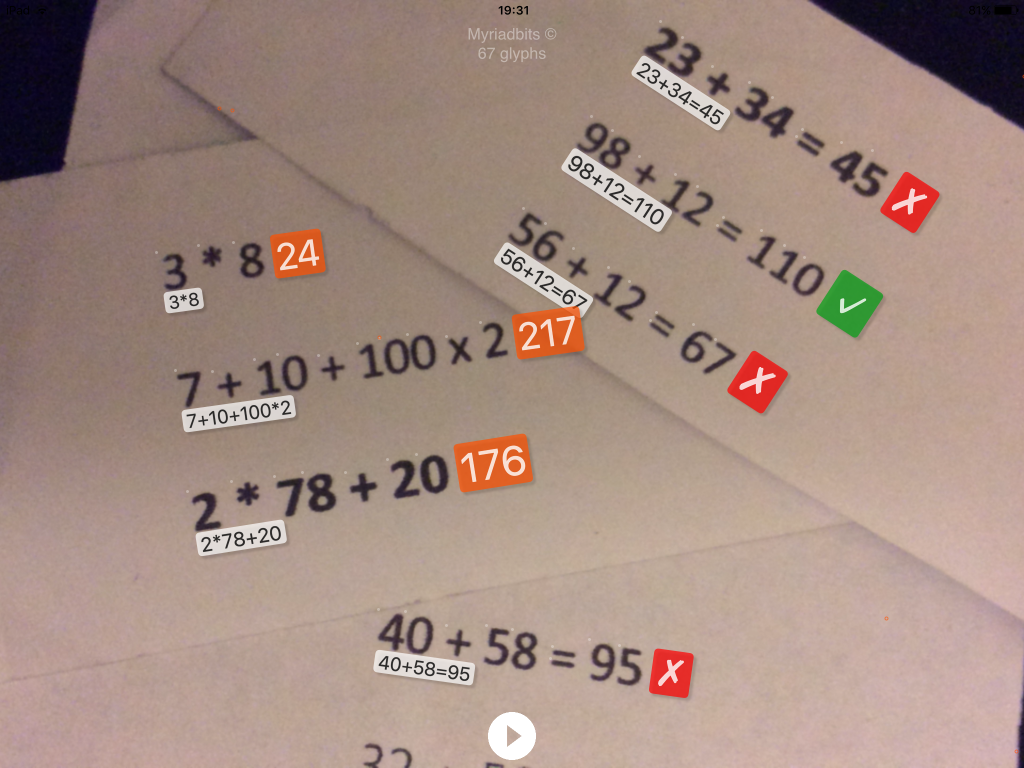
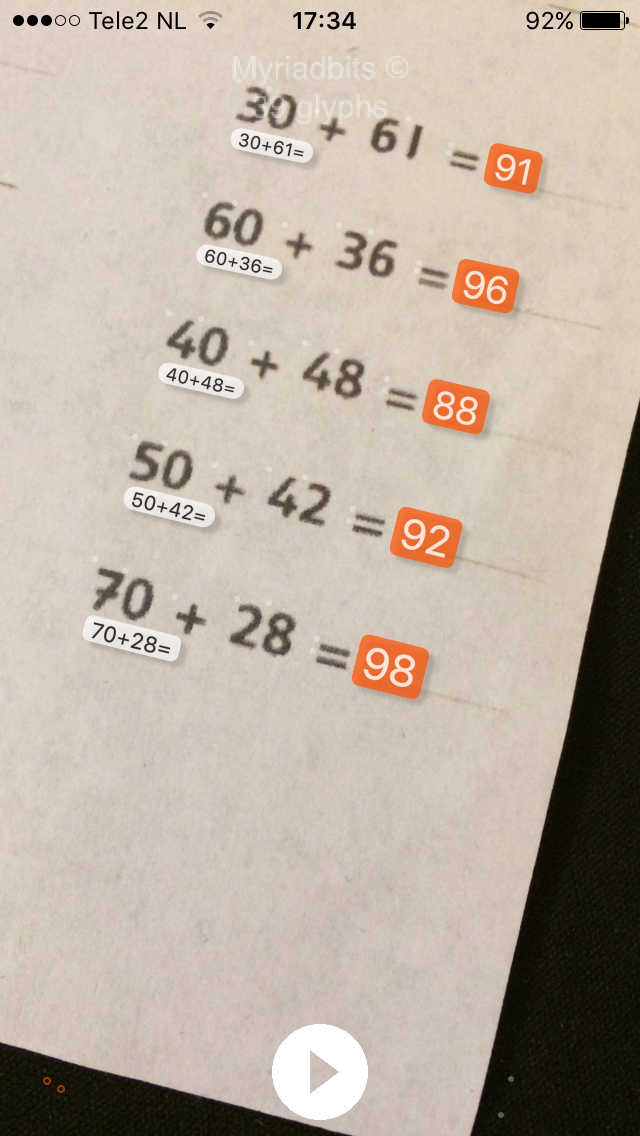
Camculator uses the camera of your iPhone or iPad to solve simple math problems, several at a time and in real time. No AI involved.
Using optical character recognition, it can even read some handwritten sums, and problems shown on a monitor or another display. Point the camera at the sum you want solved or checked. If it is too small, move closer until it is recognized. Use the pause button to freeze the picture.
Camculator does not recognize every font and every problem. It does its best, but success is not guaranteed! A small white circle marks characters it can read; a red circle marks characters it doesn’t know.
- Supported operators: ×, *, +, −, :, ( and ).
- Solves multiple problems at once, live in the camera view.
- Works with printed, handwritten and on-screen sums.
Tips for handwritten sums
Not all handwriting can be recognized; it depends on your style. These tips help:
- Use a black pen.
- Close all loops that should be closed, like the zero.
- Don’t break the lines of a character.
- Write all digits about the same size.
ClassVibe
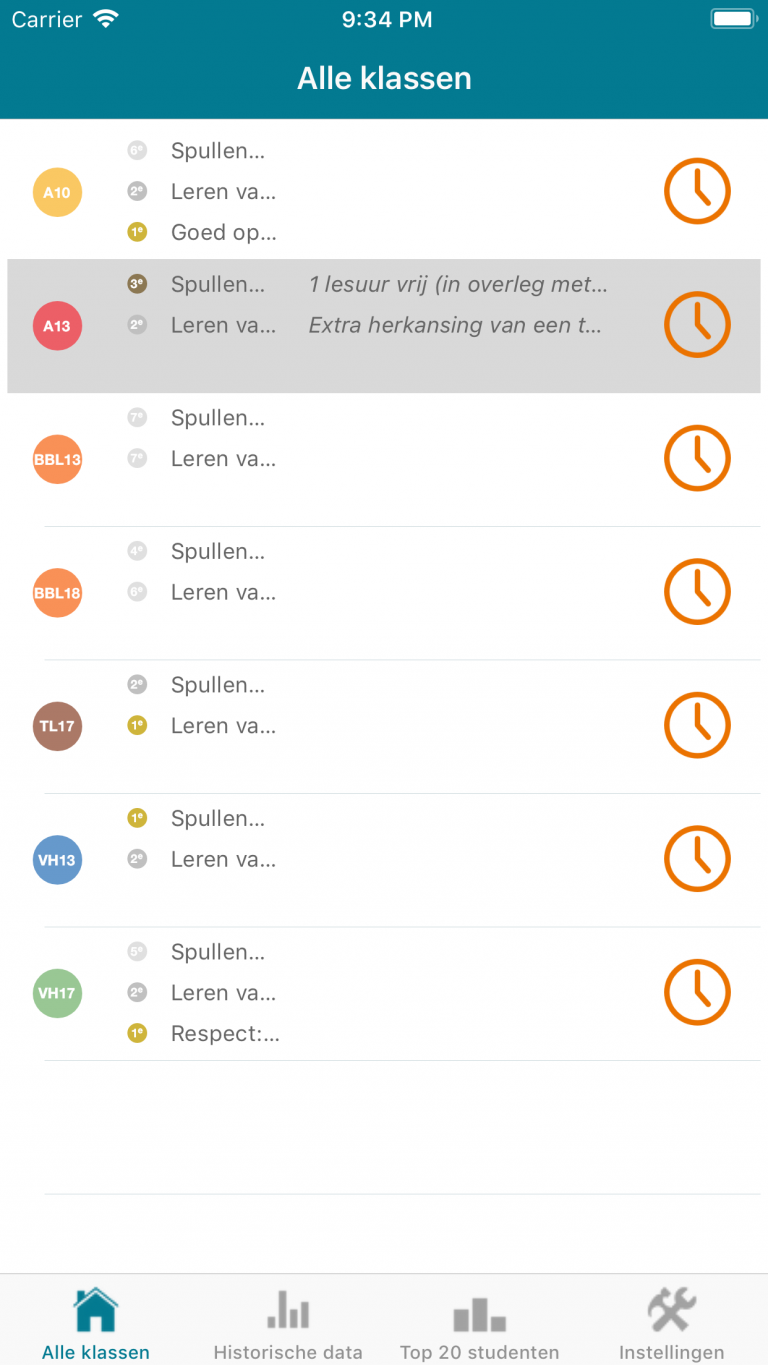
An iOS app that gave high school teachers a way to log and reward the positive behavior of their students.
Teachers and students agree on a goal, for instance “homework always ready”, and link it to real-world rewards. Every teacher who teaches the class can hand out stars. When the class has fewer red stars than the goal at the end of the period, they get the reward.
The idea came from my wife, a high school teacher, who wanted an app to motivate her students positively by rewarding the entire class. Besides the app, I also built the backend behind it.
ClassVibe is no longer available in the App Store.
Questions, ideas or bug reports?
Send me an email. For MXF Inspect, an issue on GitHub is the quickest way to reach everyone working on it.